

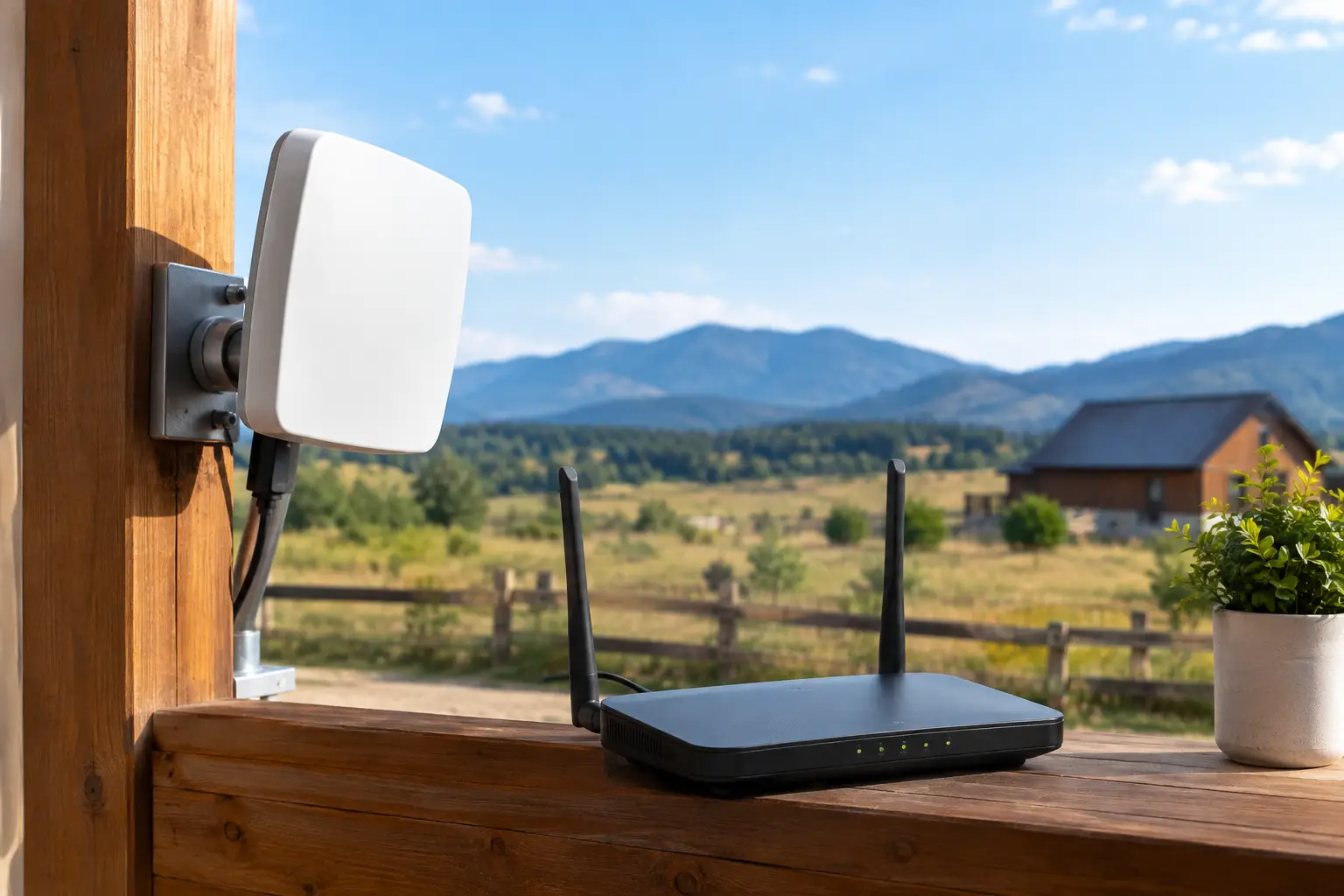
A video call freezes just as you need to speak. A movie buffers halfway through family night. An online game drops out when someone starts a download. In many country homes, the problem is not simply the internet plan. The right rural internet equipment can make the difference between a frustrating connection and dependable service for work, school, streaming, and everyday life.
For households across Southwestern Ontario, equipment should be chosen around the service available at the property, the size and layout of the home, and how many people connect at once. A large farmhouse with thick walls has different needs than a small home near town. The goal is straightforward: get the signal where your family actually uses it.
Rural Internet Equipment Starts With Your Connection Type
There is no single box that solves every rural internet issue. The equipment you need depends on how internet reaches your home. Where cable or fiber-adjacent infrastructure is available, your setup may include a modem and Wi-Fi router. In other locations, fixed wireless service may use an outdoor antenna or receiver connected to an indoor router.
That is why checking availability first matters. Buying a powerful router will not improve a weak incoming signal, and an outdoor antenna is not needed for every service type. A local provider can review your address, explain the connection options available, and recommend equipment that fits the installation rather than selling you more hardware than you need.
Modem or Gateway
A modem connects your home to the provider’s network. Some homes use a separate modem and router, while others use a gateway that combines both functions in one unit. A combined gateway keeps setup simple and reduces the number of devices on a shelf or desk.
A separate router can make sense for larger homes or households with heavier Wi-Fi demands. It gives you more flexibility if you want to upgrade your wireless coverage later without replacing the modem. The best choice depends on your service, plan speed, and home layout.
Outdoor Receiver or Antenna
For certain rural wireless installations, a technician may install an outdoor receiver, antenna, or dish-like unit. This equipment communicates with nearby network infrastructure and brings the connection into your home. Placement is critical. Trees, hills, buildings, and even seasonal foliage can affect the available signal.
This is not typically a do-it-yourself purchase. Proper alignment, safe mounting, cable routing, and signal testing are part of getting reliable performance. Professional installation also helps ensure the equipment is protected from weather and positioned for the strongest practical connection.
Your Router Controls the Experience Inside the House
Internet speed arriving at the house is only part of the picture. Your router distributes that connection to phones, laptops, TVs, game consoles, smart speakers, cameras, and other devices. A weak or outdated router can create slowdowns even when the service itself is performing well.
For a smaller home with a few connected devices, a standard dual-band router may be enough. Dual-band routers use both 2.4 GHz and 5 GHz Wi-Fi bands. The 2.4 GHz band often reaches farther through walls, while the 5 GHz band can provide faster performance at shorter distances.
For busy homes, look for a current Wi-Fi standard, strong security settings, and enough capacity for multiple devices. Remote workers may need stable video meetings while students attend online classes and other family members stream or game. In that situation, the lowest-cost router can become the bottleneck.
When a Mesh Wi-Fi System Is Worth It
A mesh Wi-Fi system uses multiple units, often called nodes, to extend coverage throughout the home. It is particularly useful in long ranch-style houses, multi-level homes, older farmhouses with dense walls, and properties where the router cannot sit near the center of the living space.
Mesh equipment is not always necessary. If your home is compact and your router is centrally located, one good router may provide excellent coverage. But if bedrooms, offices, workshops, or basements regularly lose signal, mesh can be a practical upgrade.
Place the main router or mesh unit where the internet enters the home, then position additional nodes within range of one another. A node placed too far away cannot create a stronger signal than it receives. For the best results, avoid hiding equipment in cabinets, behind large televisions, or beside appliances that can cause interference.
Don’t Overlook Wired Connections
Wi-Fi is convenient, but a wired Ethernet connection remains one of the most dependable options for devices that stay in one place. Connecting a work computer, gaming console, smart TV, or home office dock directly to the router can improve consistency and reduce Wi-Fi congestion.
This matters when performance is more important than mobility. Competitive gamers often prefer wired connections for lower latency. Remote workers may appreciate the added stability during long video calls. A wired connection will not increase the speed of your internet plan, but it can help a device use the available speed more reliably.
If running Ethernet cable across the home is impractical, consider whether your office or entertainment area can be moved closer to the router. In some homes, a technician or qualified installer can help route cable cleanly through walls or along existing pathways.
Plan for the Devices You Have Now
Most homes have more connected devices than they realize. Phones, tablets, televisions, laptops, security cameras, thermostats, printers, doorbells, and game consoles all compete for wireless capacity. The right rural internet equipment should support how your household actually lives, not just the number of people under the roof.
A couple who browse, stream occasionally, and check email may have very different needs from a family with two remote workers, teenagers gaming online, and a home security system running all day. Small businesses operating from rural properties may also need dependable coverage for point-of-sale systems, cloud software, customer calls, and guest Wi-Fi.
Unlimited data can remove the worry of watching every gigabyte, but equipment still matters. Unlimited usage does not compensate for poor router placement, old hardware, or a weak Wi-Fi signal in the rooms where people work and relax.
Common Equipment Mistakes to Avoid
The most common mistake is placing the router wherever the cable happens to enter the home. That location may be convenient, but it may also be in a basement corner, utility room, or metal cabinet. If possible, place the router in an open, elevated, central area.
Another mistake is keeping an older router long after the household has added more devices and faster service. Routers do not last forever, especially when they run continuously. Random dropouts, dead zones, overheating, and difficulty connecting newer devices may signal that it is time to review your setup.
It is also easy to assume that a Wi-Fi extender fixes every coverage issue. Extenders can help in specific situations, but they may reduce available wireless performance and can be harder to manage than a properly placed mesh system. The right solution depends on the home, not on whichever device happens to be on sale.
Get Equipment and Installation Support That Fits Rural Homes
Rural connectivity should not require you to become your own network technician. At S-Connect, the focus is on matching service and installation support to the needs of local homes, families, remote workers, and small businesses across Southwestern Ontario.
Before installation, think about where your household needs the strongest connection. Is it a home office, upstairs bedrooms, a basement rec room, a detached workspace, or all of the above? Mention those areas when discussing service so the equipment recommendation reflects real use, not a one-room test.
A well-planned setup gives your internet room to work. With the right incoming connection, properly placed equipment, and Wi-Fi coverage that reaches the spaces you use most, rural living does not have to mean settling for unreliable online time.