

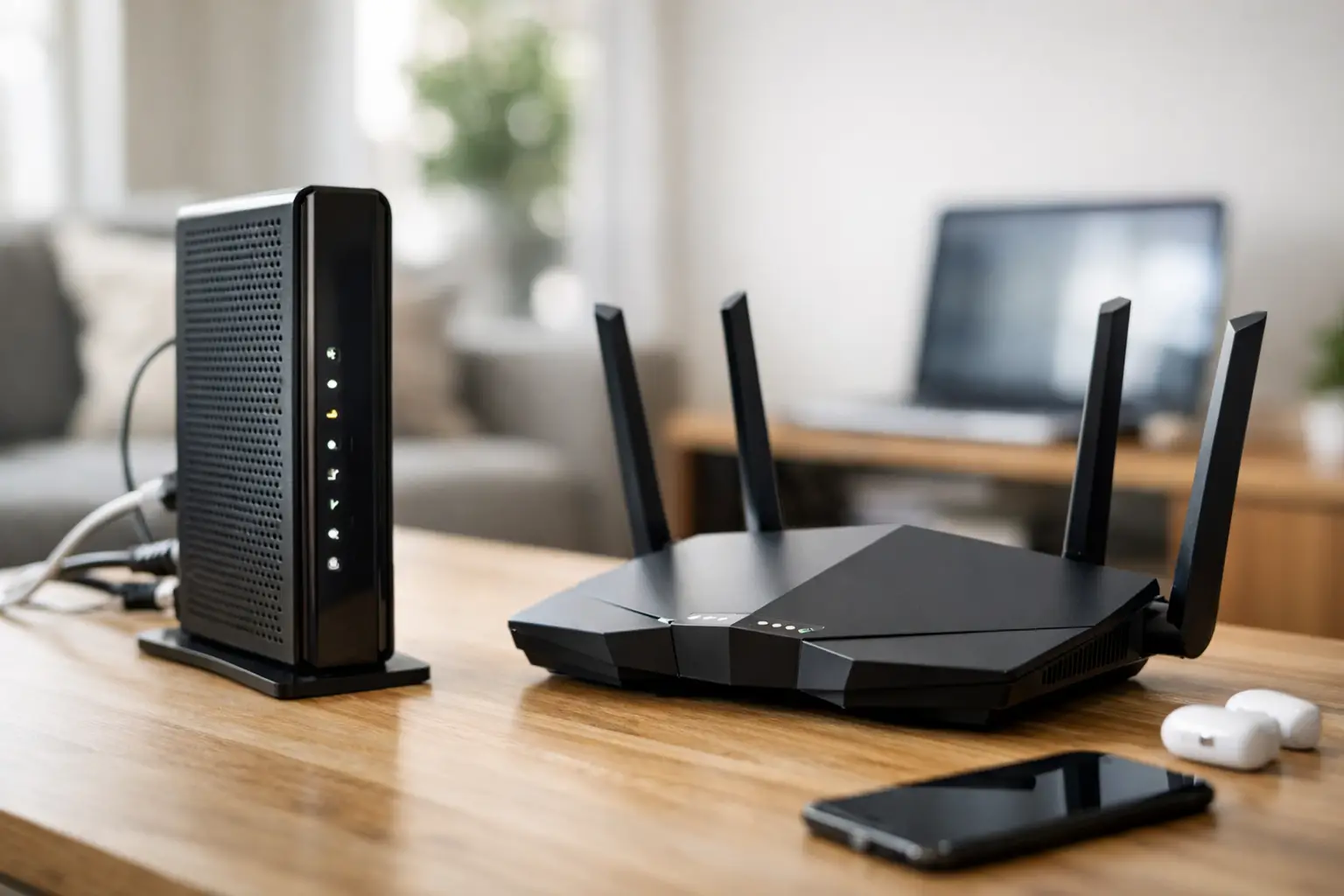
A modem can be the small box that decides whether your 1 Gbps plan feels ultra-fast or frustratingly slow. This internet modem buying guide helps you choose equipment that works with your provider, supports the speeds you pay for, and keeps your household ready for streaming, work, school, gaming, and everything else competing for bandwidth.
Start With Your Internet Connection, Not the Store Shelf
The best modem is not automatically the newest or most expensive model. It is the one approved for the type of internet service at your address. Before comparing brands, confirm whether your home uses cable, fiber, DSL, fixed wireless, or another connection type.
Cable internet is common in towns and communities served through established cable infrastructure. It uses a cable modem, usually built around DOCSIS technology. If you have cable service, look for a modem your provider specifically supports and that has the appropriate DOCSIS version.
Fiber internet usually uses an optical network terminal, often called an ONT, installed by the provider. In many fiber setups, you do not shop for a traditional modem at all. The provider supplies and maintains the equipment that converts the fiber signal for your home network.
Rural internet can be different again. Fixed wireless, satellite, and other regional services may require provider-installed equipment, including an outdoor antenna or receiver. Buying a retail cable modem for these services will not help. A quick availability check can save you from purchasing the wrong device and delaying your installation.
Understand the Difference Between a Modem and a Router
A modem brings the internet signal from your provider into your home. A router shares that connection with your phones, TVs, computers, game consoles, cameras, and smart home devices. The router is also responsible for most of your Wi-Fi experience.
You can buy a standalone modem and pair it with a separate router, or choose a modem-router combo, also called a gateway. Either approach can be the right fit.
A separate modem and router give you more flexibility. If your Wi-Fi needs change, you can upgrade the router without replacing a working modem. This is often a smart option for larger homes, busy families, remote workers, and gamers who need stronger Wi-Fi coverage.
A combo unit keeps things simple. It uses fewer outlets, fewer cables, and one device to manage. For an apartment, a smaller home, or a household with basic internet needs, that convenience can be worth it. The trade-off is that when one part becomes outdated, you may need to replace the entire unit.
Match Modem Speed to the Plan You Actually Need
Do not choose a modem based only on the biggest number printed on the box. First, think about the internet plan you have now and the plan you may want over the next few years.
For households with basic browsing, email, video calls, and a few streaming devices, a modem rated for 100 to 300 Mbps can be enough. But many homes now have multiple 4K streams, work video calls, online classes, cloud backups, and gaming happening at once. In those cases, a faster plan and a modem that supports it can make a noticeable difference.
If your home has a 500 Mbps, 1 Gbps, or faster cable plan, look for a DOCSIS 3.1 modem. DOCSIS 3.1 is designed for modern high-speed cable service and offers more room for future upgrades than older DOCSIS 3.0 models. A DOCSIS 3.0 modem may still work for lower-speed plans, but it can become a bottleneck when you move to faster service.
Also check the Ethernet port. A standard Gigabit Ethernet port supports speeds up to 1 Gbps under ideal conditions. If you are considering a plan above 1 Gbps, you may need a modem and router with a 2.5 Gigabit Ethernet port. Without it, you could pay for extra speed that your equipment cannot deliver to a wired device.
Internet Modem Buying Guide: Check Compatibility First
Compatibility is the one detail that should never be guessed. Providers maintain approved device lists because cable networks can have specific technical requirements. A modem that works perfectly with one company may not activate with another.
Before buying, ask your provider these three questions: Is this exact model approved for my address? Does it support my current speed tier? Can it be activated as customer-owned equipment?
Use the full model number, not just the product family name. Manufacturers sometimes sell several versions of a modem that look nearly identical but have different hardware inside. If you are ordering online or buying secondhand, confirm the device is not locked to another provider and has not been reported as lost or unpaid.
For homes in Southwestern Ontario, coverage and network technology can vary by street, neighborhood, and rural concession. A local provider such as S-Connect can help confirm what type of equipment fits the service available at your location, rather than leaving you to sort through technical specifications alone.
Features That Matter After Compatibility
Once you have confirmed compatibility, focus on the features that affect daily use. The right choice depends on your household, but these details are worth comparing:
- DOCSIS version: For cable plans approaching gigabit speeds, DOCSIS 3.1 is generally the better long-term choice.
- Ethernet ports: A modem typically needs one Ethernet port to connect to your router. Faster multi-gig ports matter for plans above 1 Gbps.
- Voice support: If you use home phone service through your cable provider, you may need a telephony modem with phone ports and battery backup support.
- Wi-Fi standard: This applies to gateways and routers, not standalone modems. Wi-Fi 6 or Wi-Fi 6E can help busy homes handle more devices efficiently.
- Security and updates: Provider-managed equipment may receive automatic updates. With customer-owned equipment, confirm the model remains supported and receives firmware updates through the provider.
Do not confuse modem performance with Wi-Fi coverage. A perfect modem cannot fix weak wireless signal in a detached garage, a finished basement, or a long rural farmhouse. If coverage is the issue, a better router, mesh Wi-Fi system, or properly placed access point may be the more useful upgrade.
Buying Your Own Modem vs. Renting One
Buying a modem can make financial sense if you expect to keep the same compatible service for several years. It may eliminate a monthly equipment fee and gives you more control over your home network. For people who enjoy choosing their own router and adjusting settings, ownership is often a practical move.
Renting or using provider-supplied equipment has benefits too. Installation can be easier, replacement is usually simpler if the unit fails, and technical support can troubleshoot one known piece of equipment. This can be especially valuable when you need internet working quickly for remote work, online learning, or a new business location.
The right answer depends on the monthly rental cost, the price of an approved modem, expected equipment life, and how much hands-on support you want. If renting costs a modest amount but includes fast replacement and support, convenience may be worth more than the savings. If you are staying with cable service long term and already own a strong router, buying a modem may offer better value.
Plan for Setup Before the Box Arrives
A new modem will need to be activated by your provider. Keep the box, receipt, model number, and MAC address available. The MAC address is a unique identifier usually printed on the modem label. Your provider may use it to register the device on the network.
Place the modem near the incoming cable connection and use a quality coaxial cable in good condition. Avoid unnecessary splitters, loose connectors, and long runs of damaged cable. Then connect the modem to your router with an Ethernet cable, power it on, and allow several minutes for it to establish service.
If the modem shows a solid connection but your devices still feel slow, test with a computer connected directly to the router by Ethernet. That helps separate an internet connection issue from a Wi-Fi coverage issue. It is a simple step that can prevent replacing equipment that was never the real problem.
Make the Choice That Keeps Up With Your Home
A good modem should support your service today without forcing you to start over when your household adds more devices or moves to a faster plan. Choose compatibility first, then speed capability, then the setup and support level that fits your comfort.
Whether you live in town, work from a home office, manage a small business, or need reliable connectivity farther from major city centers, the right equipment should make your internet easier to use, not harder to understand. When in doubt, confirm your options with a local service team before you buy, then enjoy the faster, more dependable connection your home deserves.